
ERP — Enterprise Resource Planning
Run your whole operation on one connected system. From the first quote to the final invoice, every order, shipment and payment moves forward automatically, with the control and visibility growing businesses need.
Trusted by growing businesses
Order-to-Cash
Quote → Invoice automated
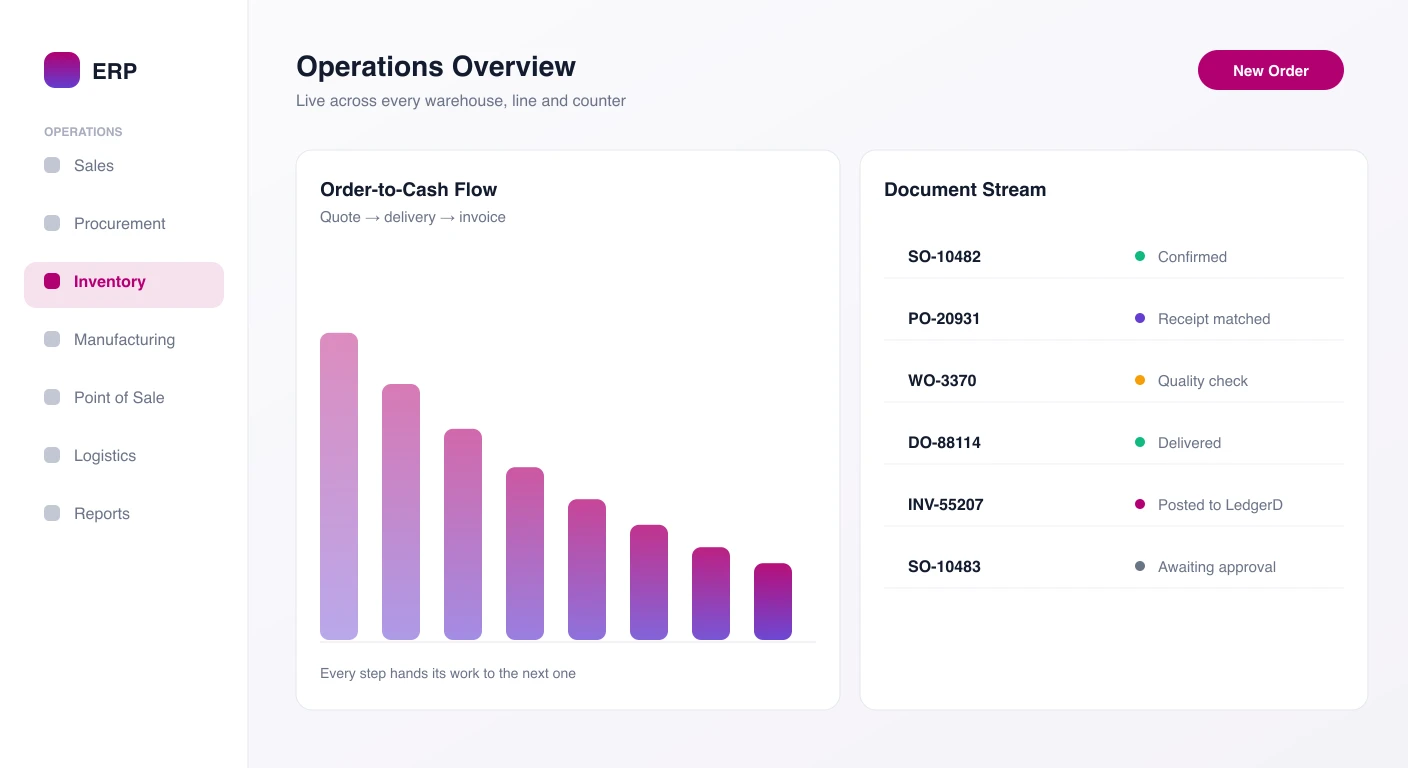
Operations Overview
Orders Fulfilled
1,284
+9.6%Inventory Value
$412,750.00
+4.2%What is ERP?
ERP is the operations app in d2bsuite, the AI-first business suite built by Datasirpi Private Limited in Sharjah, UAE. It runs sales, purchasing, inventory, warehousing, manufacturing, point of sale and logistics on one system, so a confirmed order becomes a delivery, a delivery becomes an invoice, and every invoice posts to your books in LedgerD.
Why Enterprises Choose ERP
One connected platform built for teams that make, move and sell physical goods.
Order-to-Cash Automation
Confirmed orders create their own deliveries and invoices, and post to the ledger. Your team stops re-typing the same order in three places.
Inventory You Can Trust
Every receipt, transfer and delivery is recorded in one stock ledger, with lots, expiry, reorder alerts and live valuation.
Built-in Approvals
Large orders and purchases go to the right manager by amount and reporting line, and every decision is logged.
Real-time Insights
Dashboards and reports update as work happens. Click any number to see the documents behind it.
The ERP Feature Suite
Every module your operations team needs to run a tight, profitable business.
Explore all featuresSales & CRM
Leads, pipeline and quotations with customer pricelists, discount rules and promotions that turn into orders in one click.
Procurement
Requisitions, RFQs with side-by-side vendor comparison, purchase orders and 3-way matching of PO, receipt and bill.
Inventory & Warehouse
Multi-warehouse stock with lots and expiry, bin-level put-away, pick waves, packing and cycle counts.
Manufacturing
Multi-level BOMs, routings, MRP planning, shop-floor work orders and quality checks that must pass before completion.
Point of Sale
Fast counter checkout with split payments, manager PIN approvals and a blind cash count at every shift close.
Logistics
Shipment tracking to proof of delivery, carrier rate cards and carrier invoice matching, all in one Control Tower.
Enterprise Grade Infrastructure
ERP isn't just software; it's the operating backbone of your business. Built for control, accuracy and growth.
Configurable Platform
Records, forms, statuses and automations are defined in configuration, so ERP adapts to your process without custom code.
Native d2bsuite Integration
Posts accounting to LedgerD, routes approvals through PeopleD's reporting lines and syncs pipelines with CrmD. Nothing to export or re-import.
Role-Based Control
Roles, record-level rules, segregation of duties and a full audit log on every document and approval.
Who ERP is for
Manufacturers
Plan materials and capacity, run work orders and block completion until quality checks pass.
Distributors and wholesalers
Price each customer group correctly, pick and ship accurately, and match carrier invoices before paying.
Retailers with stores
Run fast counters with cash drawers that balance at every shift close, and keep stock and books in sync.
Operations and finance leaders
Approve by amount and reporting line, match every vendor bill, and see live numbers across the business.
What you can do with ERP
Sales and CRM
Capture leads and campaigns, forecast your pipeline, build quotations with the right price applied, send large orders for approval, and confirm them into deliveries and invoices.
Procurement
Raise requisitions that go to the right manager, compare vendor quotes side by side, issue purchase orders, track vendor performance and release bills only when the PO, receipt and invoice agree.
Inventory and warehouse
Manage stock across warehouses with lots and expiry, use put-away rules, pick waves, packing and shipments, run cycle counts, and get reorder alerts before you run short.
Manufacturing
Maintain BOMs and routings, run MPS and MRP against demand, check the load on each work center, execute work orders, and handle subcontracting, maintenance and cost variance.
Point of sale
Open shifts per register, take split payments, cap discounts and refunds with a manager PIN, record cash in and out, and close every shift with a blind count.
Reports and dashboards
Use ready-made reports for sales, stock, purchasing, production and finance, build your own dashboards with KPIs, charts and pivots, and drill down to any transaction.
Getting started with ERP
Book a walkthrough
See ERP run one of your own orders from quote to invoice, or start a free trial.
Set up your company
Add companies, branches, warehouses, taxes and approval rules, and choose a B2B or B2C preset.
Import your data
Bring customers, vendors, products, stock and opening balances in by CSV or Excel with the Data Loader.
Go live module by module
Start with the area that matters most, then switch on the next module. Your data is already there.
ERP: frequently asked questions
Do we need to use every module from day one?
No. Start with Sales and Inventory, or POS and Accounting, and add modules as you grow. They share the same customers, products and prices, so nothing is entered twice.
How does ERP work with LedgerD?
Invoices, vendor bills, payments, POS takings and stock values post to LedgerD automatically, so your financial reports always match what happened in operations.
Can we move over from our current system?
Yes. The Data Loader imports customers, vendors, products, stock and opening balances from CSV or Excel, and checks every row before anything is saved.
Does ERP support several companies and warehouses?
Yes. Each company has its own branches, branding, document numbering and tax registration, and stock can be managed across several warehouses down to bin level.
How are approvals handled?
You set limits by amount and the reporting line decides who approves. Everything waits in one approvals inbox, approvers can delegate, and every decision is recorded.
Simple, transparent pricing
Choose the plan that fits your stage. Switch or cancel anytime.
Free Plan
Includes:
- Sales, quotations and customer pricelists that convert to orders in one click
- Procurement with vendor comparison and 3-way PO, receipt and bill matching
- Multi-warehouse inventory with lots, expiry, bin put-away and cycle counts
- Manufacturing BOMs, routings, MRP planning and shop-floor work orders
- Point of sale with split payments, manager PIN approvals and blind cash close
- Automatic posting to LedgerD, approval routing through PeopleD and CrmD sync
Premium
Billed monthly
Includes:
- Up to 25 users
- Sales, quotations and customer pricelists that convert to orders in one click
- Procurement with vendor comparison and 3-way PO, receipt and bill matching
- Multi-warehouse inventory with lots, expiry, bin put-away and cycle counts
- Manufacturing BOMs, routings, MRP planning and shop-floor work orders
- Point of sale with split payments, manager PIN approvals and blind cash close
- Automatic posting to LedgerD, approval routing through PeopleD and CrmD sync
Ready to run your whole operation in one place?
Join the growing companies that use ERP to connect sales, stock, production and finance, and make faster, better-informed decisions.